Learn how to use Helixir to organize scientific context, ask better research questions, run structured analyses, and review evidence-backed outputs.
Start a project
Create a workspace that holds the papers, data, chats, and results for a line of research.
Add research context
Upload papers, datasets, and notes so the platform can reason over your material, not just the open web.
Run a scientific workflow
Ask a question in Chat or launch a structured Co-Scientist run and review evidence-backed outputs.
Start here
Your first research workflow
1Create an account or sign in.
2Create or select a project for your research.
3Upload papers, datasets, or notes in Files.
4Ask a question in Chat, or choose a Co-Scientist workflow.
5Review the outputs, artifacts, and supporting evidence.
6Continue in Canvas, Knowledge Graph, or a follow-up run.
Example first prompt
Summarize what is known about resistance mechanisms to EGFR inhibitors in NSCLC. Focus on mechanisms with literature support and suggest follow-up experiments.
Core concepts
The vocabulary you'll use
Project
A workspace for related research — your files, chats, results, and graph live here.
Context
The files, papers, prior chat, graph entities, and artifacts the AI can draw on.
Chat
The conversational front door for asking research questions and launching deeper work.
Tools
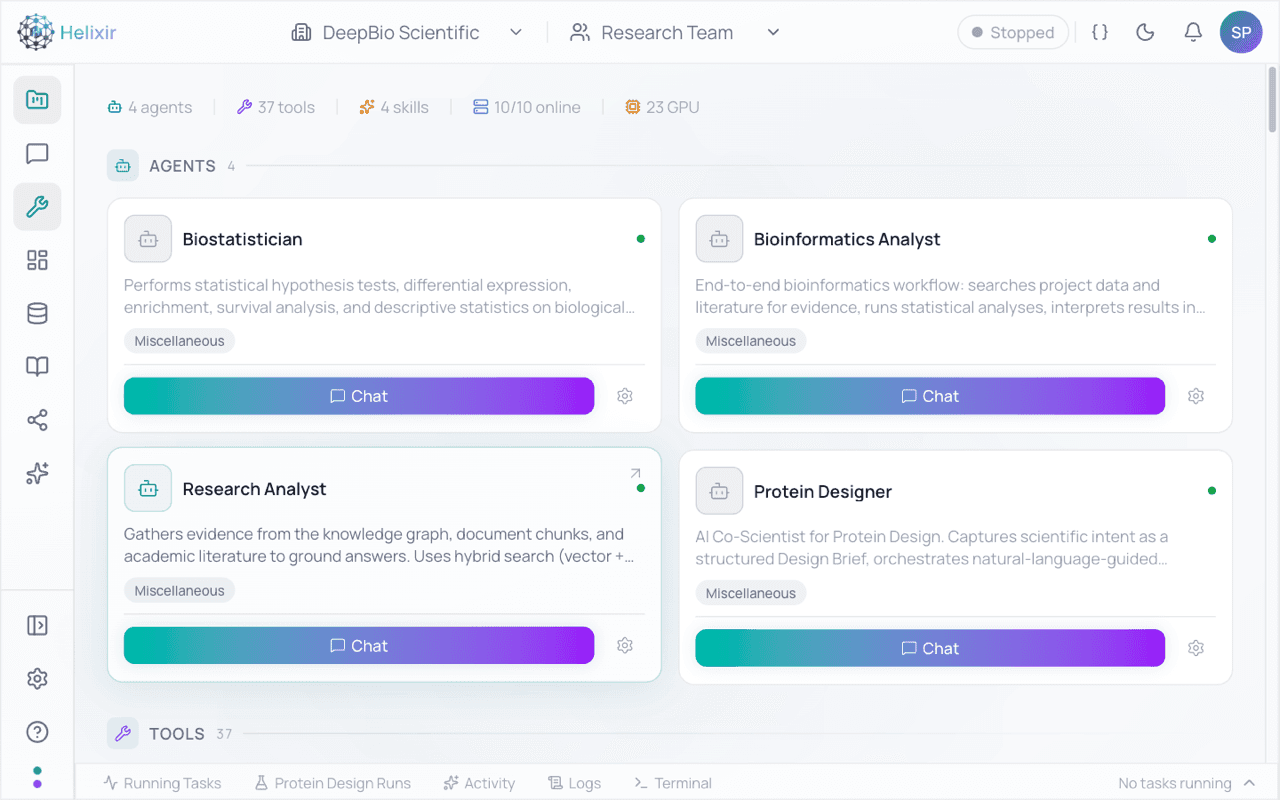
Specialized scientific capabilities and integrations available inside the workspace.
Artifacts
Saved outputs from analyses and scientific runs that you can review, export, and reuse.
Scientific run
A structured workflow that produces reviewable, evidence-backed outputs.
Platform features
What each area is for
Chat
Chat is the front door for asking research questions, referencing project context, and launching deeper work.
When to use it: Use it to explore a question, pull in files or references, or kick off a literature review or scientific run.
What you get back: A grounded answer with references you can open, plus the option to continue into a structured workflow.
Example
Find recent papers on IL-23 biology in psoriasis and summarize the strongest evidence for therapeutic intervention.
Chat welcome with starter prompts
Files / Data Hub
Files lets you upload papers, datasets, notes, and research material into a project so the platform can use them as context.
When to use it: Use it before a deep analysis so the AI reasons over your material, not just public sources.
What you get back: Project-organized content that supports chat, literature review, and downstream analysis. Only upload material you have the rights to use.
Files / Data Hub upload area
Tools
Tools provide specialized scientific actions and integrations that can be used from Chat or the Tools page.
When to use it: Use them when a question needs search, analysis, or an agent-style action beyond a plain answer.
What you get back: Structured results from search and analysis tools, including custom and project-specific tools where available.
Tools and integrations
Canvas
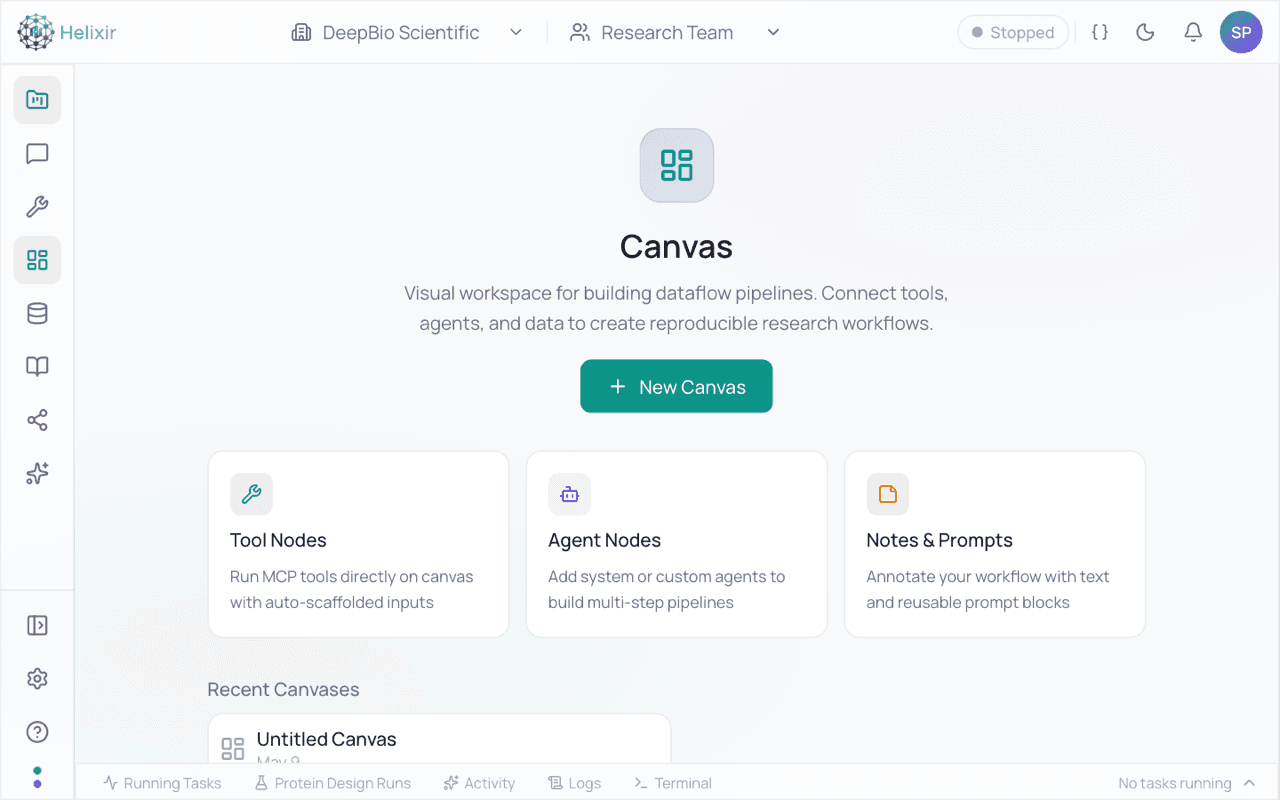
Canvas is a visual workspace for assembling repeatable research workflows with tool nodes, agent nodes, and notes.
When to use it: Use it when you want to compose and re-run a multi-step process instead of repeating prompts by hand.
What you get back: A reusable, visual workflow you can adjust and run again as your question evolves.
Example
Build a workflow that searches literature, extracts candidate mechanisms, and summarizes evidence into a review note.
Canvas workflow builder
Literature
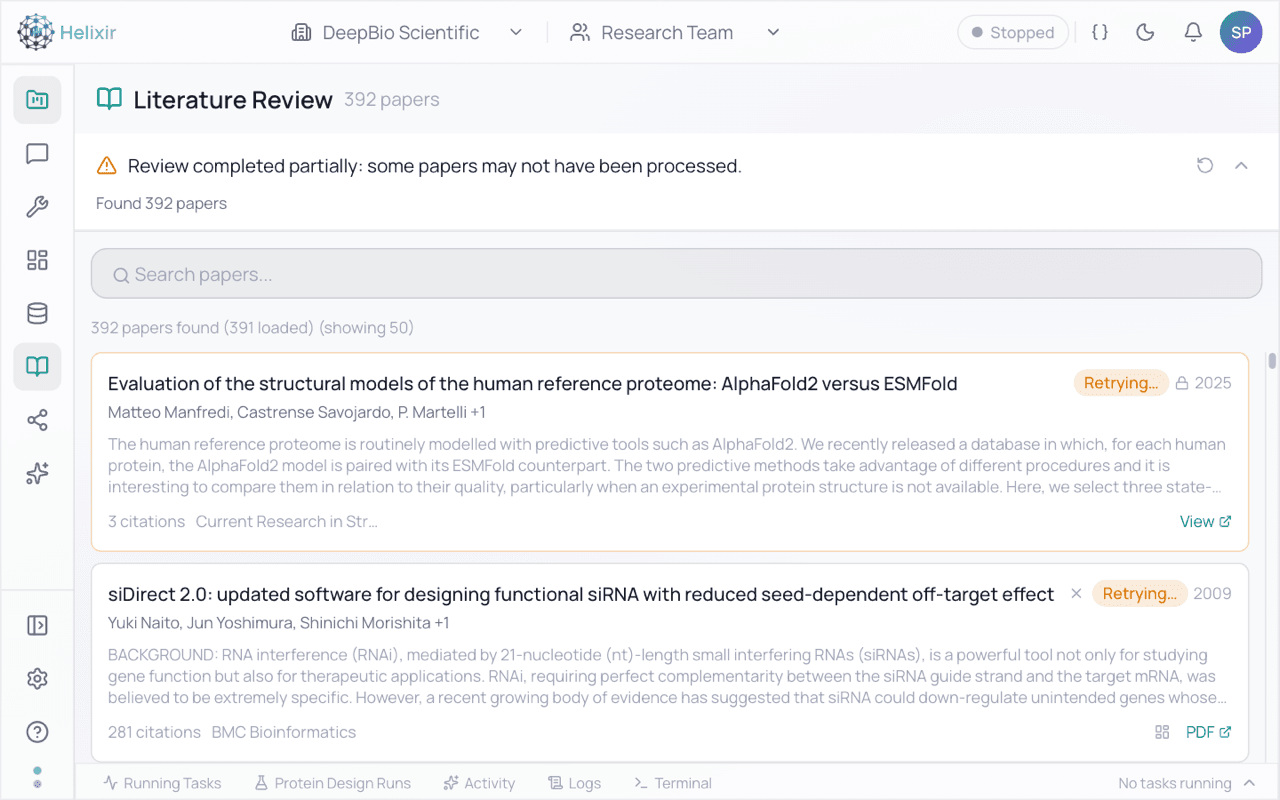
Literature helps you search, collect, and review scientific evidence connected to a project.
When to use it: Use it to build an evidence base for a target, mechanism, or indication.
What you get back: Searchable results, summaries, and collected evidence that link back into Chat and project context.
Literature search and review
Knowledge Graph
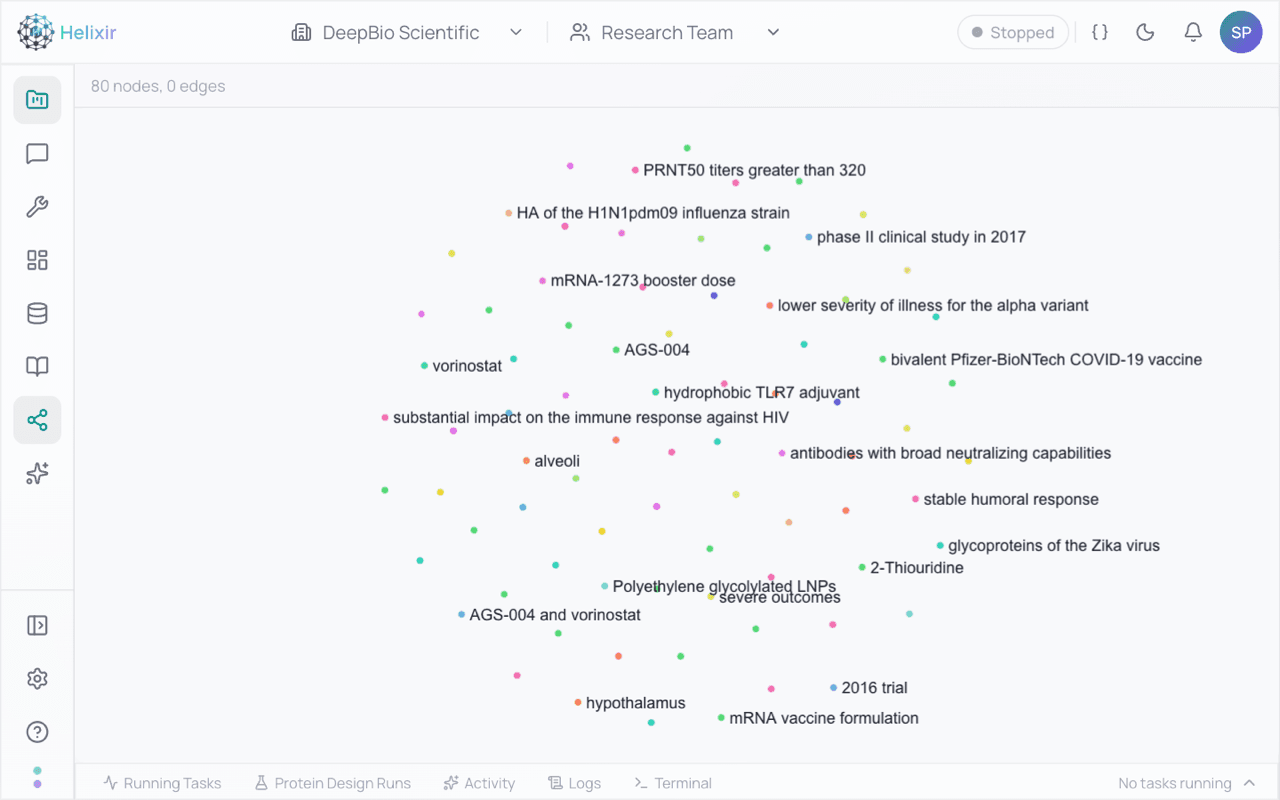
Knowledge Graph helps you explore entities, relationships, claims, and evidence across a research project.
When to use it: Use it to see how targets, mechanisms, and findings connect, and to trace claims back to evidence.
What you get back: An interactive view of entities and relationships grounded in your project's material.
Knowledge Graph explorer
Co-Scientist
Structured scientific workflows
Co-Scientist runs structured scientific workflows and returns artifacts that can be reviewed, questioned, and reused. It assists, drafts, reviews, surfaces evidence, and helps prioritize — it does not guarantee correctness or replace expert review. The following programs are available for selected teams.
Co-Scientist programs — preview
Co-Scientist programs
Protein Design
Selected teams
Design and compare candidate binders from a target brief, with a rationale for the top candidates.
Design short binders for PD-L1. Prioritize developability and low predicted toxicity. Include a brief rationale for the top candidates.
Conservation Discovery
Selected teams
Find conserved regions and homolog patterns across related proteins to guide experimental follow-up.
Find conserved anchor residues in Cas9 homologs across Streptococcus species. Highlight regions that may be useful for experimental follow-up.
Clinical Trial Design
Selected teams
Draft and review trial-design briefs from an indication and study constraints.
Draft a Phase 2 trial brief for moderate-to-severe plaque psoriasis. Include a primary endpoint, key secondary endpoints, and evidence considerations.
Hypothesis Discovery
Selected teams
Generate and rank research hypotheses from an open-ended scientific question.
What mechanisms could drive resistance to EGFR inhibitors in NSCLC? Rank the hypotheses and suggest falsifying experiments.
A reviewed Co-Scientist result — preview
A reviewed Co-Scientist result
Examples
Copyable starting prompts
Practical, public biomedical prompts to adapt for your own work. Outputs should be reviewed by qualified experts before you act on them.
Literature review
Find recent papers on IL-23 biology in psoriasis and summarize the strongest evidence for therapeutic intervention.
Target evaluation
Compare two possible targets for a discovery program and list the key risks for each.
Protein design brief
Design short binders for PD-L1. Prioritize developability and low predicted toxicity. Include a brief rationale for the top candidates.
Conservation analysis
Find conserved anchor residues in Cas9 homologs across Streptococcus species and highlight regions useful for experimental follow-up.
Clinical trial draft
Draft a Phase 2 trial brief for moderate-to-severe plaque psoriasis with a primary endpoint, key secondary endpoints, and evidence considerations.
Hypothesis discovery
What mechanisms could drive resistance to EGFR inhibitors in NSCLC? Rank the hypotheses and suggest falsifying experiments.
FAQ
Frequently asked questions
What is Helixir?
Helixir is an AI-native scientific workspace that helps research teams organize context, ask better research questions, run structured analyses, and review evidence-backed outputs.
Who is the platform for?
Scientists, biotech operators, and research partners who want to move faster from question to reviewed result, with their own papers and data in context.
Do I need to know how to code?
No. You work through Chat, Files, and guided workflows. Coding is optional, not required to get value.
Can I upload my own papers or data?
Yes. Add papers, datasets, and notes to a project in Files so the platform can use them as context. Only upload material you have the rights to use.
What is Co-Scientist?
Co-Scientist runs structured scientific workflows and returns artifacts you can review, question, and reuse. It assists and drafts — it does not replace expert judgment.
How should I evaluate AI-generated scientific outputs?
Treat outputs as drafts to review. Check the supporting evidence, validate claims against the literature, and have qualified experts review before acting on results.
How do credits and pricing work?
Plans and credit allocations are described on the Pricing page. Usage consumes credits, and you can upgrade as your needs grow.
How do I contact the team?
For partnerships, enterprise access, or scientific collaborations, email support@deepbioscientific.com.